Protecting sensitive information isn’t just a digital concern—your organization’s printers and copiers can be a big risk if ignored. Whether you’re handling HR files, client contracts, or medical records, print security is vital for compliance, client trust, and business continuity. In this blog post, we’ll break down practical steps for IT managers and office managers to protect both physical and digital documents throughout their lifecycle.
Why Print Security Matters in Today’s Office
Digital security often gets all the attention but print security can expose businesses to similar threats. Research shows that nearly 60% of businesses have experienced a print-related data breach in the past. Risks include:
- Unauthorized access: Without safeguards, confidential prints can be picked up by anyone.
- Lost or stolen documents: Sensitive paperwork left on output trays can fall into the wrong hands.
- Compliance violations: Regulations like HIPAA and GDPR demand secure handling of physical and digital documents. Failing to comply can result in hefty fines and reputational damage.
- Changing workplaces: Remote work and hybrid environments mean more document sharing and increased risk.
Common Print Security Vulnerabilities
Even small gaps can lead to big risks:
- Unattended print jobs: Documents left on printers are easy targets.
- Networked devices: Unsecured copiers and printers are potential entry points for hackers.
- Hard drives in printers: Modern multi-function printers store copies of documents, which can be a vulnerability.
- Manual handling: Unsecured documents can be misplaced or intercepted during delivery, filing, or disposal.
Top Print Security Tips for IT Managers and Office Managers
User Authentication and Access Controls
Controlling who can access and release printed materials is the first line of defense:
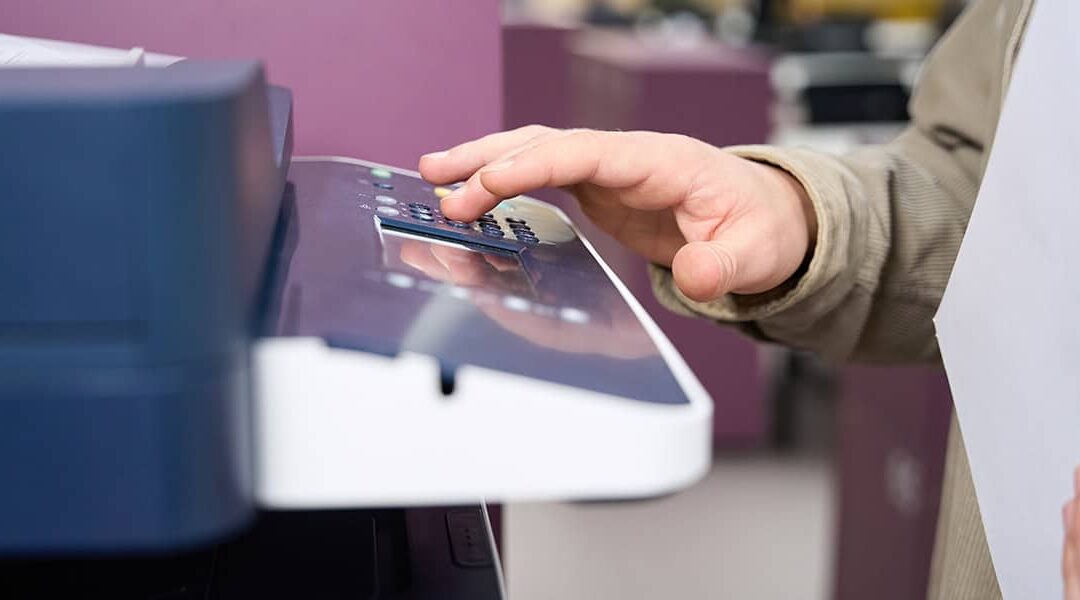
- Require authentication: Set up PIN codes, swipe cards, or user logins before printing is released.
- Segment device access: Restrict access to devices by department or job role to minimize exposure.
- Explore PrintSmart Managed Print solutions for secure access control.
Secure Print Release and Mobile Printing
Modern workplaces require flexible but secure print options:
- Pull printing: Documents are only printed when the authorized user is present, preventing sensitive files from sitting unclaimed.
- Mobile and cloud print jobs: Ensure your systems secure remote print submissions and use encrypted channels.
- Learn more about mobile and cloud print security.
Device and Network Security Best Practices
Your printers and copiers are as vulnerable as any networked computer:
- Update regularly: Install the latest firmware and software to block known exploits.
- Secure networks: Use VLANs and firewalls; be sure to disable unused ports or protocols to reduce entry points for cybercriminals.
- Encrypt data: Protect print jobs both during transmission and when stored in device memory.
- CSI’s IT Security Solutions can help lock down your print environment.
Document Lifecycle Management
Security doesn’t end when the document is printed:
- Secure storage: Lock up sensitive printouts—or better yet, limit access.
- Track documents: Use a document management system to monitor, archive, and securely dispose of files when they’re no longer needed.
Employee Training and Print Policies
The best security tech only works if people use it correctly:
- Staff education: Teach employees the risks of careless printing and proper procedures.
- Clear print policies: Develop and enforce print security guidelines. Include easy-to-follow compliance checklists for daily use.
How to Audit and Enhance Your Office Print Security
Start by assessing your current environment:
- Print security checklist: Include device settings, user controls, network protections, document handling, and disposal.
- Team collaboration: IT managers and office managers should work closely to identify risks and solutions.
- Warning signs: Frequent printer jams, unknown devices on the network, or mystery printouts could signal vulnerabilities.
Partnering with a Trusted Print Security Provider
Working with a knowledgeable provider gives you peace of mind:
- Unified solutions: Copy Systems Inc. offers managed print, IT support, and document management tailored to your security needs.
- Single-source convenience: One partner can streamline support, reduce vendor headaches, and keep all systems secure.
Next Steps: Protect Your Documents, Protect Your Business
Print security is not an option—it’s a necessity. By putting these tips into action, you can dramatically reduce the risk of data breaches and safeguard your organization’s reputation.
Are you ready to secure your sensitive documents and achieve peace of mind?
Contact Copy Systems Inc. today for a personalized print security assessment and see how our Managed Print and Security Solutions can protect your business from every angle.